Ask Von Neumann How to Assemble a Computer
In the previous post, we defined a computer as a programmable machine and explored the idea of separating hardware and software through Turing machines. While Turing laid the theoretical foundation for computing machines, an important question remained: how could such a machine be built in the real world?
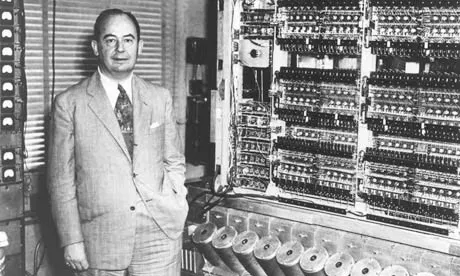
Enter John von Neumann — mathematician, physicist, computer scientist, and economist. The von Neumann architecture he proposed in 1945 is the fundamental design principle followed by virtually every computer today, from smartphones to supercomputers.
”You Want Me to Rewire Thousands of Cables?”
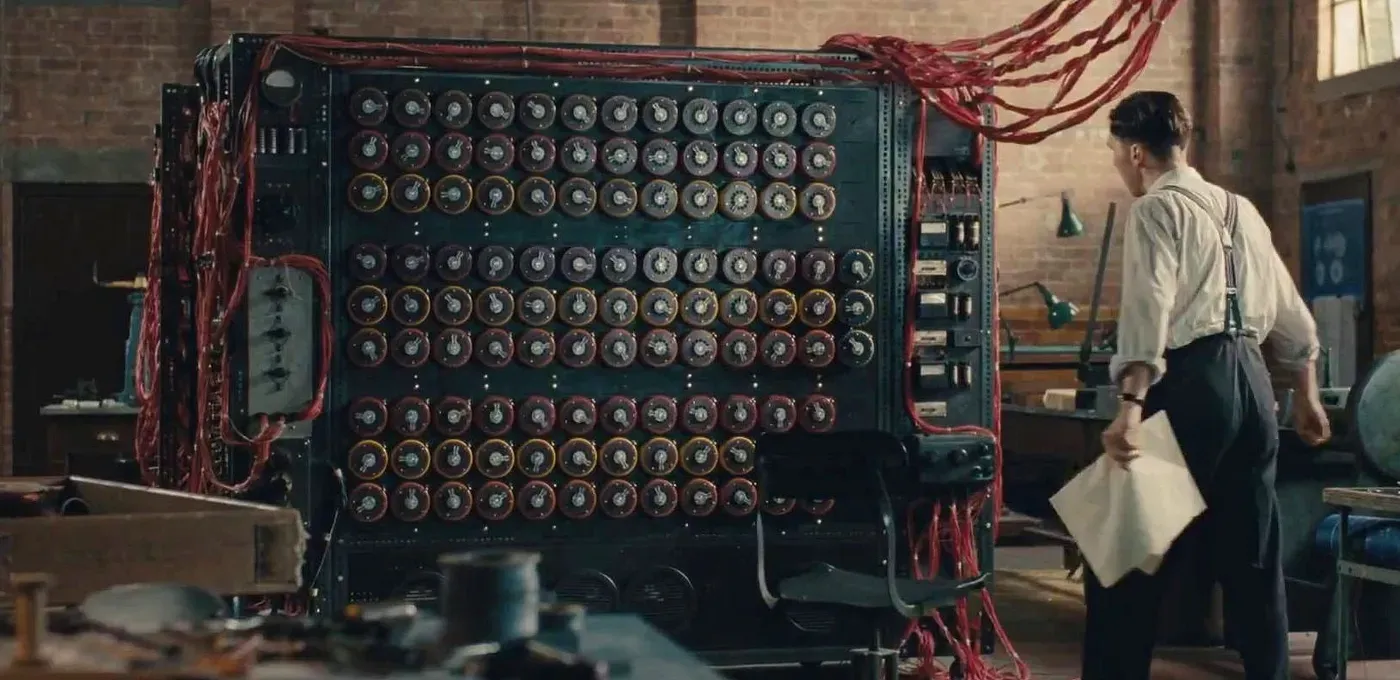
Early computers before the von Neumann architecture were highly inefficient:
One of the peculiarities that distinguishes ENIAC from all later computers was the manner in which instructions were set up on the machine. It was similar to plugboards of small punching-card machines, except that ENIAC had about forty of these, each several feet in size, and the wiring of a problem on them required many patch cords per instruction. To set up ENIAC for a problem required the connection of several thousand wires, a task which took days, and more days were required to verify the setup.
Franz L. Alt, “Archaeology of Computers—Reminiscences, 1945–1947,” Communications of the ACM, Vol. 15, No. 7, July 1972, p. 694.
For ENIAC, the program was the physical structure of the machine itself. It was like having to rebuild the entire kitchen layout every time you wanted to cook a different dish.
Von Neumann Architecture
Von Neumann solved this problem by treating programs as data rather than hardware wiring. Keep the kitchen the same and just change the recipe. This is the stored-program concept. Simply load a new program from memory and the computer performs an entirely different task.
But what does “program as data” concretely mean? To understand this, we need to look at what machine code — the language a computer can understand — looks like.
Machine Code
As we saw in the first post, computers represent
information only in 0s and 1s, and programs are no exception. Machine code,
the language a computer can understand, is entirely composed of combinations of
0s and 1s. If you want to tell a computer to “add two numbers,” you need to
translate that into a binary number like 00110000.
But there’s nothing magical about 00110000 meaning addition. It’s simply
an agreement between the person who designs the CPU and the person who writes
programs. It’s a pre-arranged rule: “when you see an instruction starting with
0011, activate the addition circuit.”
For example, the 8-bit number 01100011 can be interpreted like this:
- First 4 bits
0110→ “Load a value” (LDI instruction) - Next 2 bits
00→ “Into R0” (target register) - Last 2 bits
11→ “The number 3” (value)
That is, “Store 3 in R0.” There’s nothing magical about 0110 meaning “load
a value.” It’s just an agreement between the CPU designer and the programmer.
The collection of such agreements is called an Instruction Set Architecture
(ISA). In this series, we’ve designed a simple 8-bit ISA to understand the
core principles. We’ll look at all the instructions in the
next post.
A von Neumann architecture computer that executes this machine code consists of three main parts: memory, CPU, and I/O devices. Let’s start with the relatively intuitive memory and I/O devices.
Memory
Memory is the device that stores programs and data. This memory is called RAM (Random Access Memory) because any address can be accessed in the same amount of time.
| Address | Data |
|---|---|
| 0 | 01100011 |
| 1 | 00010001 |
| 2 | 10010101 |
| 3 | 00000000 |
For example, “fetch data from address 0” returns 01100011. “Store 50 at
address 3” changes the value at that location.
The key point here is that programs and data are stored in the same memory.
In ENIAC, programs were physical wiring, completely separate from data. In the
von Neumann architecture, machine code instructions are just numbers like
00110000, so they’re stored in memory the same way as data. This means that to
change a program, you don’t need to touch any wires — just change the memory
contents.
I/O Devices
I/O devices are the gateway through which the CPU communicates with the outside world. Keyboards, mice, monitors, and so on fall into this category.
One way to implement I/O devices is through memory. Designate certain memory address ranges as dedicated to I/O devices, and the CPU controls devices by reading from or writing to those addresses.
For example, each pixel on a monitor screen can be mapped one-to-one to a memory address. This memory region is called video memory (VRAM).
Screen (10×10)
VRAM
0: white, 1: black
A VRAM value of 1 corresponds to a black pixel, 0 to a white pixel. Try changing values to see the screen update. Keyboards work similarly — when the code of the last pressed key is written to a specific address, the CPU reads that address to receive input.
Wrap-up
We’ve explored the stored-program concept of storing programs as data in memory, and the roles of memory and I/O devices. Thanks to this architecture, changing what a computer does requires no rewiring — just changing the memory contents.
So who executes the instructions? In the next post, we’ll look at the instructions a CPU understands.